Friday, March 11, 2016

Jailbreak Guideline.


Simply looking for a safe and trusted Jailbreak provider? Jump straight to Unlockscodes.com

What is Jailbreaking?

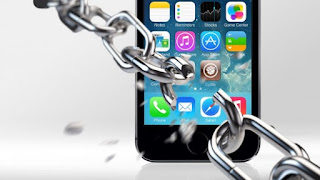
Jailbreaking is the process of removing the restrictions that Apple has placed on its devices, such as the iPhone, iPad and iPod. Once a device has been Jailbroken, it's possible to download and install apps, extensions, music and themes that Apple wouldn't normally allow access to. Put simply - it provides freedom from Apple's restrictive 'walled-garden'.

In contrast to other operating systems such as Andoid, Apple keeps very tight control over the Apps allowed on its devices. If a user wants to download an App, it must be done through the iTunes store. Similarly, if a business or individual wants to create an App, then it must be checked and approved by Apple. This can often take months, or may not happen at all.


Why Jailbreak your iPhone or iPad?

The problem with Apple's approach is that their strict policy means that thousands of Apps never see the light of day, meaning users miss out on some great software. However, once you have Jailbroken your device, you will have access to thousands of these 'off-market' apps through a service called Cydia.

Another reason that people Jailbreak their device is to tweak or customise it. While Apple thinks its devices are perfect, the reality is that no phone or tablet is perfect - there is always the odd bug or designs flaw. Furthermore, one size does not always fit all and as much as people love their iDevices, sometimes they wish they behaved a little differently.

Jailbreaking will also allow you to install Apps that tweak, modify or customise certain aspects of Apple's operating system. For example Apple blocks Flash videos and animations on its devices. With a Jailbroken device though, it's possible to run Flash files with easy.


How do you Jailbreak your device?

Jailbreaking involves downloading a piece of software that opens up your operating system. There are two ways to acquire this software: one is free, but can be complex. The other costs a little, but is much safer.

If you choose the free route, then there are a number of sites available, although we would prefer not to recommend one in case it causes problems. Try Googling "free Jailbreaking" or something similar. We suggest you use these at your own risk however. You will also need to be patient, careful and read any instructions carefully. Make sure you are 100% sure the site is reliable and that the software you are downloading is the correct software and the correct version number for your device. It is quite easy to damage your phone, so be warned.

If you would rather play it safe, save yourself time (and stress) and get professional support throughout the process, then we recommend you spend a little money and get it done properly.

While researching a good Jailbreaking website, we really struggled to come up with more than one that was reputable. Ordinarily we would recommend three, then list the pros and cons of each site. However, almost every site we saw was a straight-out scam, provided vague instructions, contained a dodgy-looking payment system, or was overly-salsey; a good indication of an unsafe site.

The only one site we found which ticked all of our boxes was: Unlockscodes.com


Why choose Unlockscodes.com?

There are a number of good reasons to use them. Here is a quick list:
Their service works on all iPhones, iPads and iPods
No technical knowledge is needed
Their customer support is the best we have come across
They guarantee to Jailbreak or unlock your device, or give you your money back
They have successfully helped thousands of Apple owners
Their payment system is trustworthy. Either pay by PayPal, debit card or credit card
Their website is not salesy and doesn't try to trick you into a purchase
They also provide Unlocking. See our Unlocking Guide for further information
Their prices are very competitive


What are the steps involved?

The service works in three simple steps:
1) Purchase and download the trusted software
2) Install the software – they provide easy, visual instructions
3) Start using your Jailbroken or Unlocked device

The whole process takes just a few minutes.

After that, their customer service department is available to answer any questions, and as mentioned above, they will return your money if you are not happy with their service.

If you're ready to Jailbreak your iPhone or iPad, with piece of mind that you won't break it, then you can visit the Unlockscodes.org 's website now. Alternatively, if you have some further questions, we have tried to answer these for you with our Further Questions section.


Further Questions

Is Jailbreaking legal?
Yes - In 2010 the US Copyright Office made changes the copyright act and declared that Jailbreaking is perfectly legal. This has gone on to spawn an entire industry. Unfortunately most players in the market are untrustworthy, hence the reason why we only recommend the one company.


Can Jailbreaking void my warranty?
Apple's official line has always been a vague, "it can void your warranty" but the good news is that the process is easily reversible by restoring your device via iTunes. This is also important if you need to take your phone to the Apple Store for whatever reason.


What are the pros?
There are a number of benefits to Jailbreaking your device:
Gain access to thousands of themes, games, apps, tweaks and customisations that Apple normally restricts
Free video chat over a 3G connection (rather than just WiFi)
Tether your iPhone or iPad
Ability to view Flash animations and Flash websites
Watch streaming TV for free
Make VoIP calls
Video recording
If you Unlock at the same time, then you can use your iPhone on any network or using SIM card worldwide


What are the cons?
Like anything however, you should be aware of the potential problems with Jailbreaking your device:
If Apple provides an update to the operating system, you may need to Jailbreak your device again
Jailbreaking can increase the chance of getting a viruse. This however, is true of any open operating system. If you're careful, the chances of getting a virus are low. Read the reviews before you download!
Installing non-Apple-approved Apps may lead to your device becoming unstable. Again, read the reviews before you download
Jailbreaking can 'brick' your device. This is true if you go through an untrusted source. If you get the Jailbreaking done through the site recommended on this page, then you're in safe hands.


What happens after my iPhone or iPad is jailbroken?
Once your device has been Jailbroken, you will want to head over to Cydia which is like an alternative App store. Once there you will be greeted with a whole new world of Apps and downloads for your newly freed device!

Source From - HSBLCO Solution

Saturday, March 5, 2016

First impressions of the LG G5: Light metal body, unique modular design, wide-angle capture.

As part of a special T-Mobile LG G5 preview program, Matthew Miller was sent a pre-production LG G5 to try. It's a compelling phone in its own right, but one wonders what the plans are for future modules.


Last year as part of a special T-Mobile preview program, I was given a pre-production LG G4 to test out. Once again, T-Mobile and LG kicked off a preview program with the LG G5.

The LG G5 arrived yesterday, along with a 60-day prepaid T-Mobile SIM so I can continue my Microsoft March madness test with my primary SIM still in the Lumia 950 XL. I've now spent just about 24 hours with the LG G5 and have a few first impressions to offer.

I also want to know what you want me to test out so if there is something you want to know about the LG G5, please post a comment and I will remain actively engaged with readers to this post. I may also include some of the questions and answers in my full review after I receive a production unit from LG, AT&T, T-Mobile, or another source.

HARDWARE
The LG G5 that I was sent is a pre-production device so I won't give any final statements or conclusions about the fit and finish. I can share some impressions though, as listed below:

## It's much lighter than I anticipated, 159 grams. The LG G4 is 152 grams and the LG V10 is 192 grams.
## The rear power button and fingerprint scanner is vastly improved over the LG G4 and LG V10.
## There is still an IR port on top, one of the few remaining devices with this capability.
## The volume button has been moved from the back to the left side.
## The removable bottom has a better fit and finish than I anticipated.
## The microSD card and SIM card are contained in one side tray.
## The headphone jack is on top.
## The battery is part of the bottom so it seems that extra batteries will include a full bottom piece. I haven't tried removing the battery from the bottom and will find out if it is removable.
## The top of the 5.3 inch display glass curves down towards the back. It's a cool effect, but also makes me wonder about the ability to survive a drop with the glass extending so far up.

Source From - HSBLCO Solution

Thursday, March 3, 2016

Canon EOS 1D Mark IV 16.1 MP Digital SLR Camera.


 16.1-megapixel APS-H CMOS sensor and Dual DIGIC 4 imaging processors
45-point Area AF sensor including 39 cross-type AF points with f/2.8 support
ISO 100-12,800 for shooting from bright to dim light with low noise levels.

PRODUCT DESCRIPTION

Similar to the D3, the D300 features Nikon’s exclusive EXPEED Image Processing System that is central to driving the speed and processing power needed for many of the camera’s new features. The D300 features a new 51-point autofocus system with Nikon’s 3D Focus Tracking feature and two new LiveView shooting modes that allow users to frame a photograph using the camera’s high-resolution LCD monitor. The D300 shares a similar Scene Recognition System as is found in the D3; it promises to greatly enhance the accuracy of autofocus, autoexposure, and auto white balance by recognizing the subject or scene being photographed and applying this information to the calculations for the three functions.
16.1-megapixel APS-H CMOS sensor and Dual DIGIC 4 imaging processors
45-point Area AF sensor including 39 cross-type AF points with f/2.8 support
ISO 100-12,800 for shooting from bright to dim light with low noise levels
EOS HD movie with manual exposure control and multiple frame rates; 3.0-inch Clear View II LCD monitor
Magnesium alloy body with shutter durability up to 300,000 cycles and exclusive dust-and-weather resistance
Body only, lenses sold separately; capture images to CF Card Type I and II, SD/SDHC (not included).

For more - http://www.camerastall.com/product/canon-eos-1d-mark-iv-16-1-mp-cmos-digital-slr-camera-with-3-inch-lcd-and-1080p-hd-video-body-only/

Tuesday, March 1, 2016

Mini Business Cards: The Ultimate Design Trend That Rock.

A recent statistics infographic reveals that the four most common types of business cards are: standard rectangular 4-corner, square, recycled and rounded 4-corner. Rule number one when designing a powerful and stylish business card is to make it unique. Mini business cards are a new trend that helps you attract attention to your business and effectively promote your products while helping you to stand out from the crowd.

Business cards with stylish and professional look will be less likely to be thrown into the trash since most people appreciate impressive designs. If you are interested in showcasing your brand and creating a long-lasting impression to your clients and suppliers.

A standard 2" x 3.5 " business card is just not enough these days, especially in the design world. That is why mini business cards are highly-popular among graphic designers, photographers and web designers. A creative mind, regardless of profession, will find a myriad of clever ways to reflect a company brand identity on this small piece of paper. Once you decide to go beyond traditional sizing limits, here is what you may consider to design a one-of-a-kind mini business card:

Color Reflects Brand Identity

What can be a misconception about mini-business cards? Information is lost in the small size or worse, the size is so small itís easily lost -donít worry. You can enhance other elements like color, which can play an important role in mini business cards overall layout. Sadly, most business cards are forgotten in a matter of seconds, only a few stick in the mind of potential clients and vendors -size plays a relevant role in making them memorable.

Remarkable business cards do not need to have a palette full of bright colors to stand out, unless a specific design requires it. They can simply have a splash of color like the one in the image.


Bear in mind that its a good idea to maximize contrast between text and images and against background for better legibility, if you're going for subtle and muted add something else to stand out.

Bonus tip: Choose two fonts to make them easier to read. Try to use the same font types in all your marketing materials- brochures, website, catalogs- to increase brand recognition.

Keep Them Simple and Neat

When it comes to mini business cards, the first thing to consider is that you have a smaller space for your design work, call to action and contact information - which is why you should keep it as simple as possible. You may only choose either your logo o a worthwhile picture on one side and the other with the info. Even though your space is limited, you may need to leave white space to separate all elements in your business cards. White space keeps your advertising materials from being cluttered or confusing. Do not fall into the trap that ® empty space® will be useless space.

Design Business Card Magnets

Mini size business cards are not the only attractive ones; you can design magnet business cards. They can be a highly convenient marketing tool as they are placed in a single place and whenever the business card is needed, it will be surely found. Customers wonít have to waste time and effort looking for a business card received a long time ago.

If you want to learn more information about custom magnets for advertising or personal purposes, visit our online printing provider - the same guys from before. They have a large catalog and provide impressive results.

Lastly, if you are the kind of person that is constantly looking to stand out from the crowd, design mini business cards or business card magnets. Consider the handy strategies mentioned above not only to promote your business but also to impress clients and suppliers.

Was this article helpful? What else would you keep in mind when designing mini business cards? We appreciate you tell us your experiences in your comments below.

Source From - HSBLCO Solution

Thursday, February 25, 2016

AutoCAD malware: Rare but malignant.

There's no better way for thieves to steal design secrets than straight from the engineers and designers who create them. CAD software programs are ripe for exploit.

With all the recent industrial espionage, it was only a matter of time before malware developers would take a look at Computer-Aided Design (CAD) programs as a way to exfiltrate proprietary documents and drawings from engineering firms. I can't think of a better way to steal design secrets than right from the engineer or designer working on them.
CAD has been around since the early 1980s, so there are many packages to choose from. Which software did the digital bad guys go after? The most popular of course—AutoCAD.

I have several clients in the manufacturing sector, and they all use AutoCAD. Working with these clients, I learned a few things about AutoCAD. For one, it is expensive. So when a company has AutoCAD in place, they tend to stay with the version they bought.

What this does is pave the way for malware coders; they have a sizable population of computers running noncurrent, and more than likely, vulnerable versions of AutoCAD.

The malware coders have something else in their favor; engineering can involve multiple departments and outside consultants—a perfect way for malware to propagate if certain precautions are not in place. And, I'm finding that precautions are not in place. That's because most IT pros consider CAD-based malware a non-issue.

ACAD/Medre.A
I tended to agree. The first time I read about an AutoCAD malware was last year when ESET.com reported a strange anomaly on their LiveGrid network. It was strange because the malware attacked AutoCAD, but only in Peru of all places.

After some investigation, it was determined the malware ACAD/Medre.A was a worm programmed to send AutoCAD drawings via email to an account (you guessed it) in China. The experts at ESET had this to say:

ACAD/Medre.A is a serious example of suspected industrial espionage. Every new design created by a victim is sent automatically to the authors of this malware. Needless to say this can cost the legitimate owner of the intellectual property a lot of money as the cybercriminals could have designs before they even go into production by the original designer.
Something else that ESET pointed out bothered one of my clients when I told them about ACAD/Medre.A: "The attacker may even go so far as to get patents on the product before the inventor has registered it at the patent office. The inventor may not know of the security breach until his patent claim is denied due to prior art."

This particular client was applying for several patents at the time and under my advisement took several additional precautions. Yet, everyone's concern (even the client) eventually faded, as CAD-related malware never amounted to anything. That is until a few weeks ago.

ACM_SHENZ.A
That's when a new trojan popped up on Trend Micro's radar—ACM_SHENZ.A, and it was targeting AutoCAD programs. But with a twist, the malware was benign. Like most trojans, its job was to gain a foothold on the victim's computer.

Once safely entrenched, ACM_SHENZ.A obtains administrative rights which make it simple for the malware to create network shares for all drives. The malware also opens ports: 137, 138, 139, and 445. Doing so allows access to files, printers, and serial ports.

Obtaining administrative rights also allows the attacker to plant additional malware. It's this additional malware, experts at Trend Micro suspect will be used to steal drawings and engineering documents. What makes this malware especially deadly is that more than likely users will not consider a file with the .FAS extension unusual and just ignore it. According to Trend Micro, "It appears to be a legitimate AutoCAD component with a .FAS extension, but on analysis it actually opens up systems to exploits, specifically those targeting old vulnerabilities."

Trend Micro engineers mirrored ESET experts' sentiment that "being rare" is an advantage afforded AutoCAD malware: "Historically, AutoCAD malware is very rare, although not completely unheard of."

Final thoughts

AutoCAD malware is still scarce, and it may seem like I'm making a big deal out of nothing. But, it is a big deal to companies that pump time and money into a design, only to have it stolen and patented by someone else.

I asked the experts what we should be expecting and what additional protection manufacturing companies can put in place. The responses were, "It's early, we are not sure what the secondary malware payload is." Their suggestion was to exercise additional security with sensitive drawings.

More than anything, engineering departments need to be aware that CAD drawings are now a valid attack vector.

Source From - HSBLCO Solution

Tuesday, February 23, 2016

How to usability test your site for free.


Usability testing is sometimes one of those things that designers conveniently ‘forget’ about. Why? Well do a search for it. Usability testing, as it is generally practiced, costs money. There are interviews to perform, a variety of tests to create for each and every project, services to pay for… and what if your client’s in another country? Or what if they’re a small business with a small budget, or a brand-new startup? What if the only reason you learned web design in the first place was to build your own site? Check your wallet. Can you pay for classic usability testing?

THIS, IS USABILITY TESTING FOR THE REST OF US

It’s not uncommon for advice written about usability testing to assume that you’re working on a “big project” for a client that can afford the fancy stuff. Even the articles that talk about testing on a budget will often refer you to paid services. Simply put, there are times when any kind of paid service, on top of every other expense, is not an option. This, is usability testing for the rest of us…

START WITH FRIENDS

Get 5 or 6 random people to sit in front of a computer, look at your site and ask them to complete a series of tasks while talking about them.

Well, that‘s where you‘d start. I‘d add a few extra recommendations:
Grab the least-technically savvy people you know. You know, the ones who feel uncomfortable with a mouse. The ones who beg you for help every time they see a dialog box asking them if they want to save their file. If they can use your site, you’re set.

If possible, test on mobile devices too. Don’t test the same user on one platform, then another. They’ll have had time to get used to your site’s basic structure. Get different users to test your site on different devices.
Remember that observing a phenomenon can alter the outcome. In this case, people who know they’re being watched as they interact with a site may behave differently than they would normally. But hey, slightly skewed data is better than no data at all.

GET YOUR ROLE-PLAY ON

No robes and wizard hats here, unless you feel like it (actually, I do want a wizard hat) but you have to bring your ‘A’ game. It can be hard to see your project with fresh eyes. You built it. You know it inside and out. How do you pretend not to know it? It’s not enough to say, “Okay, I’m just going to get into character as Joe Averagedude and we’ll do this thing!” That’s not how it works. Even if you’re really good at playing pretend, you’re still you. My advice? Adopt a persona and change the browsing conditions. Try speed-browsing your site out in the sunlight on your phone. Grab a free screen reader, put on a blindfold, and try to reach your own calls to action as a blind person might. Lazily scroll through your site on a tablet in your living room, with the TV blaring. Use an older browser, on desktop or mobile, as a worst case scenario. Just try to simulate the conditions under which different users will be browsing your site. You might have to leave your office to do it. You might have to tie one hand behind your back. Whatever it takes, do it. Stop thinking like you.

LOOK FOR THE FREE TOOLS

There aren’t many. Proper user tracking and testing takes time and money, there are no two ways about that. Two companies, however, are offering quite a bit of good stuff for free. Well, that’s free as in ‘Google gets more information about you and your website’s users’, and ‘Optimizely gets a chance to upsell you on its pro plan’. If you can live with that, read on. Now when I say “Google”, I am of course talking about Google Analytics. If nothing else, you can set up ‘goals’ for your website’s users. That is, you can define specific actions you’d like them to take — clicking a link, filling out a form — and the analytics platform will keep track of just how many of your users are taking that action. It won’t tell you much really, but it can help to identify the existence of any major issues. There’s more that the platform can do, of course, but that should get you started. Optimizely is a different beast. It comes with a lot of free tools designed to not only collect data, but give it as much context as possible. The free plan has its limits, but it will be more than enough to start you on your way. As a bonus, it integrates with Google Analytics. All other free services that I’ve found so far are so limited as to be almost unusable in the long term. Well, there’s Five Second Test, but all that gets you is usability tests performed on fellow designers. The better ones might be able to spot some of your problems; but user testing is likely more effective when performed on users in your target demographic.

CONCLUSION
Free usability testing tools are not plentiful, but don’t let that stop you. All you really need are some willing friends, family, and acquaintances, and the willingness to get creative about testing your site. Don’t just check to see if it looks okay in all the browsers, test that thing ‘til it breaks, then start all over again. And don’t worry if not all of the tests go as planned. There’s always the next iteration.   Featured image, project review image via Shutterstock.

Source From - HSBLCO Solution

Monday, February 22, 2016

The Best Graphic Design Software of 2016.


As designers and creative people have to be updated with all the technological changes that are occurring in the world.

Learn new desktop publishing and design creation every day is a requirement that large companies or agencies seeking to designers.

Knowing handle different design programs is also essential that you as a designer gives you the chance to increase your vision and design techniques.

The different design tools that offer these programs allow reinvent the designs, created from scratch, and that results in something not imagined or better than planned.

The digital magazine web designer depot, conducted a study through twitter, to know what were the most used design programs by the public. Among the final results are completely free programs and other high-priced but easy to get.

Here are the 7 most popular programs, do you think that makes any missing? Your what use ?:

7. Illustrator
With a total of 46,136 users, this program is one which must be based on knowledge of a designer logo or vectors.

6. Google Sketshup
With 52,534 users, it is focused on creating 3D object platform. It's free

5. ACDsee Pro
It is a program that has many tools for editing photographs and 65,239 users prefer.

4. Gimp
With 93,317 votes, this application is equivalent to photoshop but free.

3. Corel Draw
It is the strongest opponent of photoshop, during its inception was the most famous and used platform. The 168,871 people still prefer.

2. Picasa
With 424,505 preferences, this platform for editing photos, is not considered one of the most professional, but the most effective and fast.

1. Photoshop
Superstar is the tool for all design programs. The term "photoshopping", and is part of the language of all the designers. 495 155 the they preferred.

Source From - HSBLCO Solution || Graphic Design